

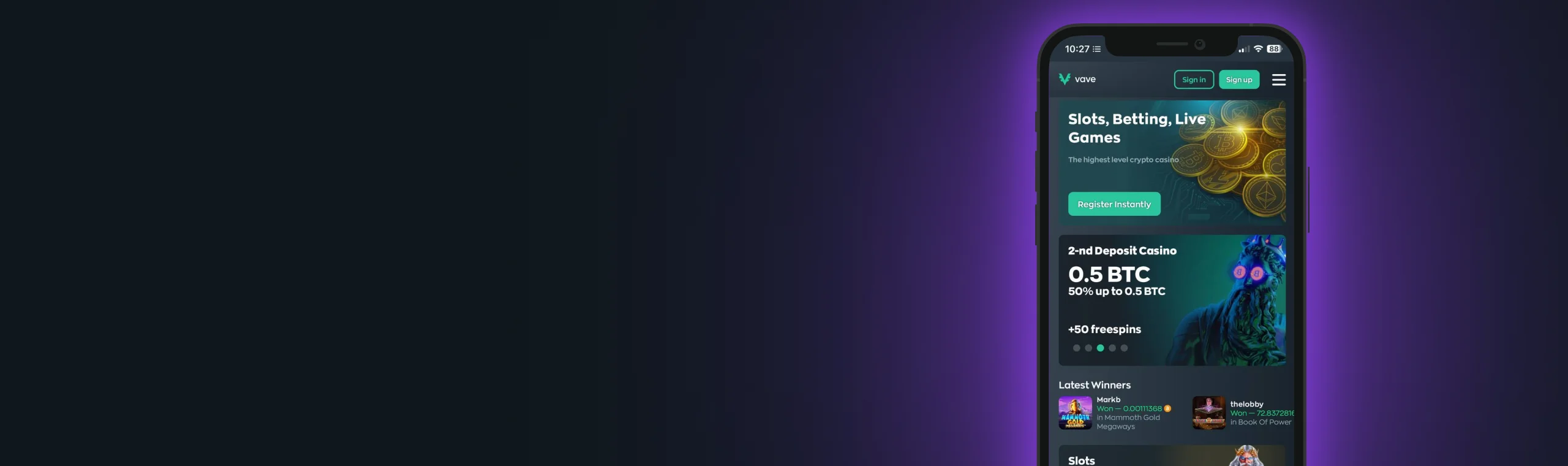
Vave UK: The Best Crypto Casino App
If you like playing on the move, the Vave Casino app is built for exactly that. It puts the full platform in your pocket. You get to enjoy slots, live casino, sportsbook markets, promotions, VIP progress, and a fast cashier that suits crypto-first players, all on your mobile device.
The biggest advantage is convenience. You’re not constantly logging in through a browser tab or retyping the URL, and the layout is designed for thumbs, not desktops.
Mobile gaming also feels more session-friendly. You can jump in for ten minutes, place a quick bet, spin a few rounds, check a tournament leaderboard, and leave. That kind of short, controlled play is exactly what many UK players prefer, and the app experience supports it with quick navigation, stable performance, and instant access to key gambling features.
Ready to enjoy a crypto-first casino app in the UK? We’ve detailed everything you need to know about the app, from installing it to using its spectacular features for a more immersive play.
Overview of the Vave App
The Vave app is designed to mirror the full site experience, just streamlined for mobile. Instead of squeezing desktop menus into a small screen, it keeps the essentials front and centre. That means you can move between games, your bet slip, promo pages, and the cashier without feeling like you’re navigating a maze.
Here’s what the app is best for day-to-day:
- Quick access to the casino lobby and sportsbook without reopening tabs
- Smooth browsing through slots, providers, and categories
- Live casino play with stable streaming (connection-dependent, as always)
- Promotions on mobile, including welcome offers, reloads, and races
- VIP tracking for both casino and sports programs
- Banking tools that make deposits and withdrawals feel straightforward
If your play style is mostly mobile (commuting, breaks, evenings on the sofa), the app format simply fits better. Everything is a tap away, and you don’t lose your place when you switch between sections.
How to Download & Install
Installing Vave is simple, and you have a few ways to do it depending on your device and preference. Most players go for the standard store install on iPhone or Android. If you’re on Android and prefer direct installs, you can also use the APK route. And if you’d rather keep things ultra-light, you can add the Vave web app as a home screen shortcut that behaves like a dedicated app window.

How to Install on iOS Devices (iPhone/iPad)
The easiest route on iPhone is the normal one:
- Open the App Store
- Search for “Vave Casino”
- Tap Get
- Install and open the app
- Log in with your email and password
- Allow notifications if you want alerts for promos or withdrawals
If you can’t see the app listing for any reason, you can still get a clean app-like experience using the PWA-style home screen shortcut on iOS:
- Open Safari and visit vave.com
- Tap the Share icon
- Choose Add to Home Screen
- Tap Add
- Launch Vave from the new icon for a full-screen, app-like view
This option is popular because it stays light, doesn’t take much storage, and still gives you a one-tap launch from your home screen.
 Download the
 IOS app

How to Install on Android Devices (Smartphones/Tablets)
On Android, the main route is via Google Play:
- Open Google Play
- Search “Vave Casino”
- Tap Install
- Open the app and log in
- If prompted, allow the app to run smoothly in the background for stable live play.
Android also gives you two extra options that many players like, including:
Android APK Installation (Direct Install)
If you prefer direct installs, you can use the APK option. This is most useful if you don’t want to rely on store listings or you’re using a device where the Play Store access is limited.
Follow these steps to install the Vave Casino APK directly from the site:
- Visit the official vave.com site in your browser
- Download the official APK from the site’s app section
- When Android warns you about installing from unknown sources, allow it only for this install
- Install the APK and open the app
- Log in and continue as normal
A quick security rule that’s genuinely worth following: only download the APK from the official site, and avoid any “mirror” download pages that appear in ads or pop-ups.
Android PWA (Home Screen Web App)
If you’d rather not install anything heavy, Android also supports a PWA-style shortcut:
- Open Chrome and visit vave.com
- Tap the three-dot menu
- Choose Install app or Add to Home screen
- Confirm
- Launch from the new icon for a clean, app-style window
This is a great “middle ground” option: it’s fast, light, and still feels like an app when you open it.
 Download the
 android app
App Features & Benefits
Once installed, Vave feels like a complete mobile casino and sportsbook rather than a stripped-down companion app. The biggest difference is the flow. You’re not bouncing between browser tabs, and you’re not constantly reloading pages. It’s designed for fast sessions and repeat use.
Portability and One-tap Access
Mobile gambling is often about convenience, and the app leans into that:
- You open Vave from your home screen with one tap.
- Casino, sportsbook, promos, VIP, and cashier are always within reach.
- Switching between sections doesn’t feel like “starting over.”
- Short sessions feel easier to manage.
If you’re the type who likes a quick evening routine (a few spins, a look at promos, then done), the app makes that routine feel natural.
Good Mobile Optimisation
A good casino app isn’t about flashy animations. It’s about the things that prevent frustration:
- Lobbies that load quickly
- Filters that help you find games without endless scrolling
- A sportsbook bet slip that doesn’t glitch when odds update
- Buttons that respond properly on smaller screens
That “small stuff” is what separates a decent mobile experience from a platform that feels clunky after five minutes. The Vave Casino is optimised to conveniently accommodate these features for a hitch-free experience.
Security Features Worth Using
Crypto-first platforms move funds quickly, so security on mobile isn’t optional. The best setup is simple and realistic:
- Use a strong, unique password (not reused from email or social accounts)
- Turn on 2FA if available
- Keep a screen lock enabled (Face ID, fingerprint, or PIN)
- Avoid public Wi-Fi when depositing, withdrawing, or changing passwords
If you treat your casino account like a banking app, you’ll avoid almost every common problem. Fortunately, the Vave app has these security features to keep your account safe at all times.
Notifications and Convenience Tools
This is where the “app” experience often wins over a plain browser session. Notifications can be genuinely useful if you keep them under control:
- Withdrawal updates, so you don’t keep checking manually
- Promo reminders, if you want a nudge before something expires
- Tournament or race updates, so you don’t miss the end of a leaderboard run
If you don’t want constant promo pings, set notifications to essentials only. Most people find that’s the sweet spot.
Promotions, VIP, and Tournaments on Mobile
Many players assume promotions are easier on desktop. With Vave, mobile works just as well because the promo hub is structured clearly. You can claim welcome offers, follow deposit ladders, use reload promos, and track races directly from the app.
The same goes for VIP and tournament play. Casino and sports VIP tracks are easier to follow when you can check progress quickly between sessions, rather than “saving it for later” on a desktop.

App Requirements & Compatible Devices
Vave runs on most modern smartphones, but smoother play depends on your device and connection. Slots are generally forgiving. Live casino and fast-moving sportsbook sessions are where performance matters more.
Below are practical minimums and recommended specs to keep things comfortable.
iOS: Supported Devices and Specs
Minimum recommendation for a good experience on your iOS device:
- iOS 12 or later
- Safari/WebView up to date (for best in-app performance)
- Stable Wi-Fi or strong 4G/5G for live casino
For the most seamless experince you will need:
- iOS 15+ for smoother performance and newer security features
- 2GB RAM or more (common in modern iPhones)
- Plenty of free storage so your device doesn’t lag during streaming
Download theIOS app
Android: supported devices and specs
Minimum recommendation for a good experience on your Android device:
- Android 8.0 or later
- Chrome/WebView updated
- Stable connection for live sections
For the most seamless experience on Android, you will need:
- Android 10+ for stronger performance and security
- 2GB RAM or more
- Disable aggressive battery saver modes when playing live dealer games
And if the app feels slow or “sticky,” it’s probably one of these:
- Your browser/WebView is outdated
- Your phone is low on free storage
- Battery saver is throttling background processes
- Your connection is unstable
- Too many apps are running in the background
Fixing any one of those often makes the difference immediately.
Download theandroid app
Mobile Web Version
Even if you don’t want to install anything, you can still use Vave comfortably through your mobile browser. The experience is very close to the app for most players, especially for slots and standard betting, because the site is built with mobile navigation in mind. Menus are easy to reach, the cashier is designed for touch controls, and switching between Casino, Sports, Promotions, and VIP doesn’t feel clunky or “desktop-first.
It’s also the quickest option if you’re using a low-range phone, testing the platform before depositing, or you simply prefer keeping gambling accounts off your home screen.
There are two sensible ways to use Vave on mobile without a full app install:

Browser-only Play
This is the simplest approach: open your browser, visit vave.com, log in, and play. It’s fast, works on virtually any device, and it makes troubleshooting easier because you can clear cache, log out, or switch browsers in seconds. It’s also handy if you share a device, since you’re not leaving an app icon sitting there.
PWA-style Shortcut (Best “No-install” Option)
If you play regularly, adding Vave to your home screen is the best compromise. It launches faster than typing the address each time, opens in a cleaner, more app-like window, and reduces distractions from your other tabs. It also keeps updates effortless, because the shortcut always loads the current version of the site. For many UK players, this is the most practical setup: simple, familiar, and light on storage while still feeling like a dedicated app.
Frequently Asked Questions (FAQ)
1. Is the Vave app available in the UK?
2. Is the Vave app on the App Store or Google Play?
3. Can I install the Vave app using an APK?
4. How do updates work on the Vave app?
5. Are bonuses and promotions available on mobile?
6. Can I use the sportsbook on mobile without issues?
7. The app feels slow — what should I do?
8. Can I play offline?
Responsible Gaming
Gambling should stay in the entertainment lane. Set a budget before you deposit, keep sessions time-boxed, and never chase losses. If you feel your play is becoming stressful or impulsive, use the tools available, such as deposit limits, timeouts, or self-exclusion.

